Yeah, it’s a hot take 🔥 and also click-baity. Recently my uncle asked if I like the new flag (it’s on my hat), while he was wearing this t-shirt:
So probably not racist, but he hasn’t come around to the new design yet, so I offered this same explanation you’ll find here… And if you aren’t a racist, you’ve at least got poor design taste, but maybe we can fix that 🤔 I’m going to try to convince you to fly the new flag on design principles alone. If you still think the new flag is woke, I probably can’t convince you to stop being racist 😥
If you’re truly flying the old flag because you can’t afford a new one, I’ve got a proposition for you at the bottom…
If you’re otherwise flying the old Minnesota flag, you’re doing it to make a statement. I’m not seeing it everywhere – mostly on well-to-do homes. The argument to keep the old flag posted is playing out in public, usually in suburban cites with aging populations that largely self-identify as conservative. One suburb concluded that flying no state flag was the best solution 🙃
The old flag is a bad design. And to show what good vs. bad design looks like, watch this:
The old Minnesota flag, like many other state and city flags, break multiple tenants of design:
Simple ❌
Meaningful Symbolism ⚠️
2-3 Basic Colors ❌
No Lettering or Seals ❌
Be Distinctive or Related ❌
⚠️ The symbolism is where the old flag could be easily be seen as depicting white man “conquering” the natives. But honestly I think the old flag flyers are probably too dumb or ignorant to come to this conclusion themselves. Part of this is because those elements are hard to see vis-a-vis poor design. So I’m going to keep focusing on the design elements 😅
All of the old iterations of the Minnesota state flag were fantastic examples of “seals on a bed sheet” adopted by many other states. To prove my point, can you pick out your state flag from this grid if you only look at it for 5 seconds?
I removed the blatantly obvious text where the designers printed the state name – probably so you could identify it within the crowd. If you’re doing it right, no text is needed.
Good Flag Design
Here’s another grid with state flags that employ good design:
Many of these flags are immediately recognizable. Even if you can’t name all of the states they belong to, the people that live there recognize and can. This makes them a source of pride.
The new Minnesota flag literally checks all of the boxes:
Simple ✅
Meaningful Symbolism ✅
2-3 Basic Colors ✅
No Lettering or Seals ✅
Be Distinctive or Related ✅
What’s not to like about it?
Need an upgrade?
If you truly cannot afford one and need an upgrade, here’s my proposition. Comment on this post. I’ll reach out to you via email. You MUST have an old flag that you’re looking to replace and have a photo with your old flag alongside a date identifying document to prove it.
You also MUST live in Minnesota. I’m not starting a charity for drunken ‘sconnies to burn our flag. While you’re at it Wisconsin, maybe think about changing your flag – because it’s also just as ugly.
There are plenty of articles out there about the origins of “woke” and how it went from a call-to-action to a pejorative label. This article is good, short, and cites several of the other sources that I looked at when researching the history as well: https://foreignfocus.substack.com/p/woke-origins-of-the-term-and-how
Yawn 🥱
Woke is short for being awoke, or awake. So those that aren’t awake on the issues, are asleep. Ironic that a movement that branded their public enemy #1 as Sleepy Joe, is “anti-woke” – sleeping themselves – both figuratively and literally.
Being anti-woke is actually an admission of ignorance. It means you don’t have all of the facts on an issue.
It’s not binary ☯️
I don’t think there are woke and un-woke people in this world. Someone can be woke to a subject while being completely ignorant of another. Not everyone can be woke about everything, the world is just too complex. But I like that there are people out there that are woke about civil rights, while others are woke about animal cruelty. Someone can be woke about climate change, and someone else can be woke about urban design.
Be woke about your thing
So can we stop with weaponization of the word? Go ahead and be woke on the thing you hold dear. If you’re given a chance to educate someone else, go for it, but remember that it’s impossible to know everything about everything. You can evangelize a little, but it must be based in fact, and backed with science. If they’re just beliefs, you’re just evangelizing yet another religion. There are way too many goddamn opinions floating around today masquerading as facts.
I was previously using a Sony HWS-BTA2W bluetooth adapter from 2007 to get sound wirelessly from my computer or phone to a set of non-bluetooth speakers. It had a problem that only happened with my linux computer. I was annoyed with this device because as the workload would increase/decrease on my computer, the audio would speed up and slow down. You could hear the pitch rise and fall if you were listening to music. This is probably by design – as part of the base level Bluetooth SBC codec that everything supports. It makes sense that if you’re talking on the phone you’d want to hear everything someone said, even if it had to be sped up or slowed down for continuity.
The pitch bend happened on all of my linux laptops: 2008 Dell Studio 17 and my 2014 ThinkPad T440s, and my 2019 Developer Edition XPS 13. I wasn’t sure about the problem being in the linux bluetooth stack or the Sony device itself. I knew there was a better solution available – and it happened to be a combination of hardware and software.
Interestingly, aptX originated as a PhD thesis, then later became incarnate in a DSP chip. Then the tech changed hands though several companies (including Solid State Logic which makes my audio interface). Before finally becoming part of Qualcomm. AptX was first used in the Bluetooth stack with some Sennheiser headphones from 2009. My 2007 Sony hardware was definitely not using this tech.
AptX on Ubuntu 22.04
To make sure my computer supported these extra codecs, I had to install some extras. Partly because aptX has some patent issues (although it’s been reverse engineered), and partly because I upgraded my system to use pipewire. The best source I found was this gist:
Enable PipeWire on Ubuntu 22.04
This guide is only for original Ubuntu out-of-the-box packages. If you have added a custom PPA like pipewire-debian, you might get into conflicts.
Ubuntu 22.04 has PipeWire partially installed and enabled as it’s used by browsers (WebRTC) for recoding the screeen under Wayland. We can enable remaining parts and use PipeWire for audio and Bluetooth instead of PulseAudio.
Starting from WirePlumber version 0.4.8 automatic Bluetooth profile switching (e.g. switching from A2DP to HSP/HFP when an application needs microphone access) is supported. Jammy (22.04) repos provide exactly version 0.4.8. So, we’re good.
Based on Debian Wiki, but simplified for Ubuntu 22.04.
Check if you have other (like Pulse) configs in the /etc/alsa/conf.d/ installed by something else. You might want to remove them.
PulseAudio
Everything was done automatically by pipewire-pulse package, which should have been installed by wireplumber package as recommended. If not, install it yourself.
Bluetooth
Install the codecs and remove Bluetooth from PulseAudio, so it would be handled directly by PipeWire:
Unfortunately, aptX and AAC are not supported because of patents and other technical reasons. aptX is available starting from 22.10 via libfreeaptx0 installed by default there (22.10 uses PipeWire by default as well). If you really need these codecs in 22.04 you may use this PPA from @aglasgall which is based on universe, but rebuilds pipewire with additional packages for aptX and AAC from multiverse. Read the discussion here.
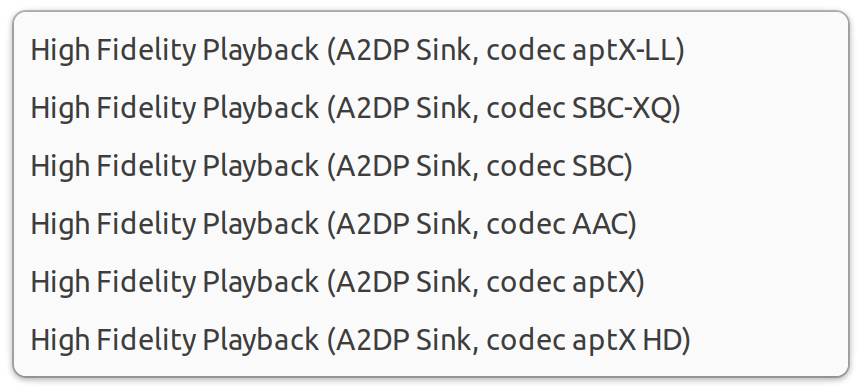
The important part in there is actually the link to the pipewire-extra-bt-codecs PPA for Ubuntu 22.04. I installed/removed the packages as expected and when I connected to the 1Mii B06S I can choose from all of the supported codecs in my sound settings:
I’m going to keep it on aptX HD for now and see how it sounds, but so far I’ve experienced zero pitch changes while listening to music.
Coming soon..
Next I’ll go through how I have everything hooked up in my home audio studio.
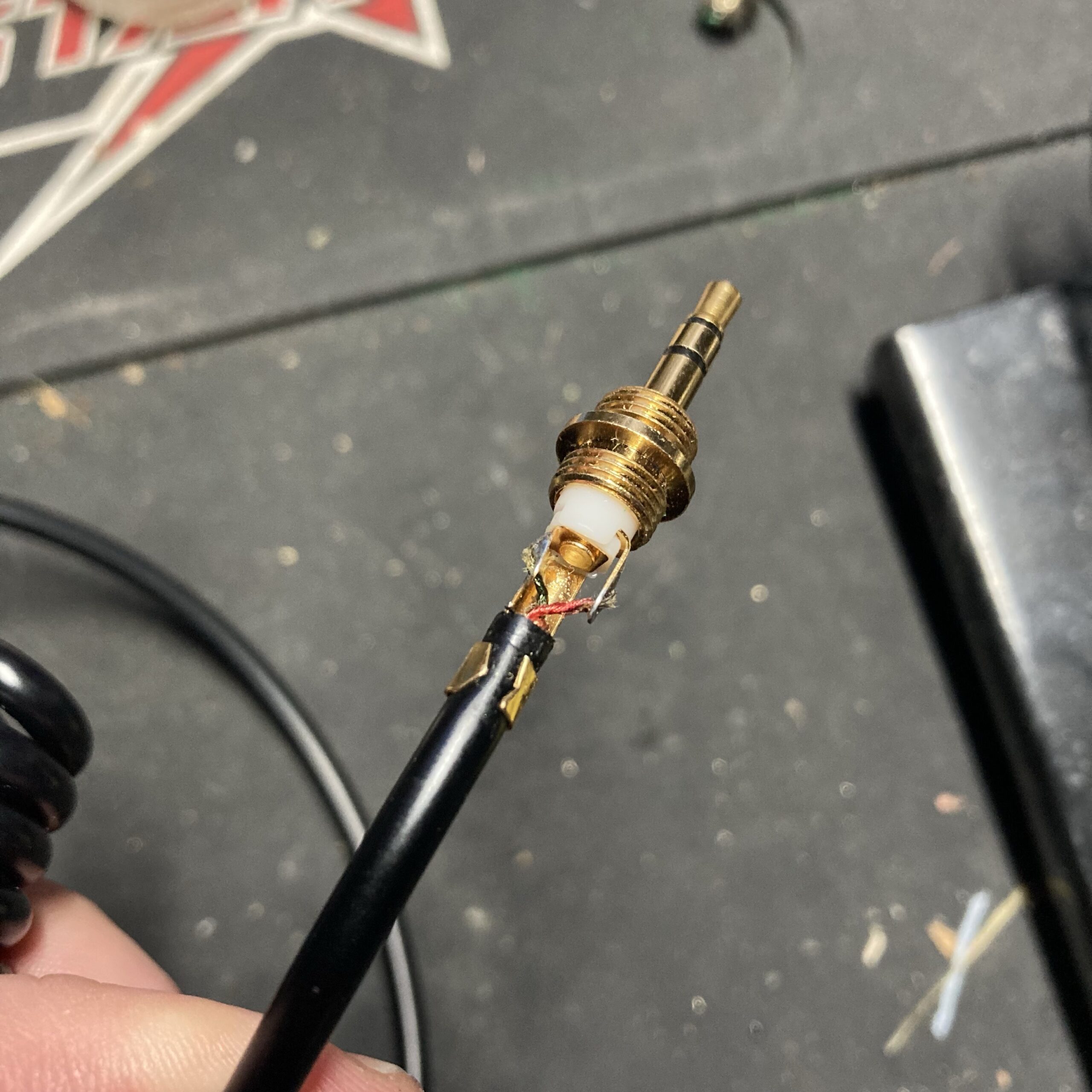
If you have a pair of tried-and-true Sony MDR-V6 headphones (or V600, 7506, etc.) and you find yourself needing a new jack/plug, this is the one you want:
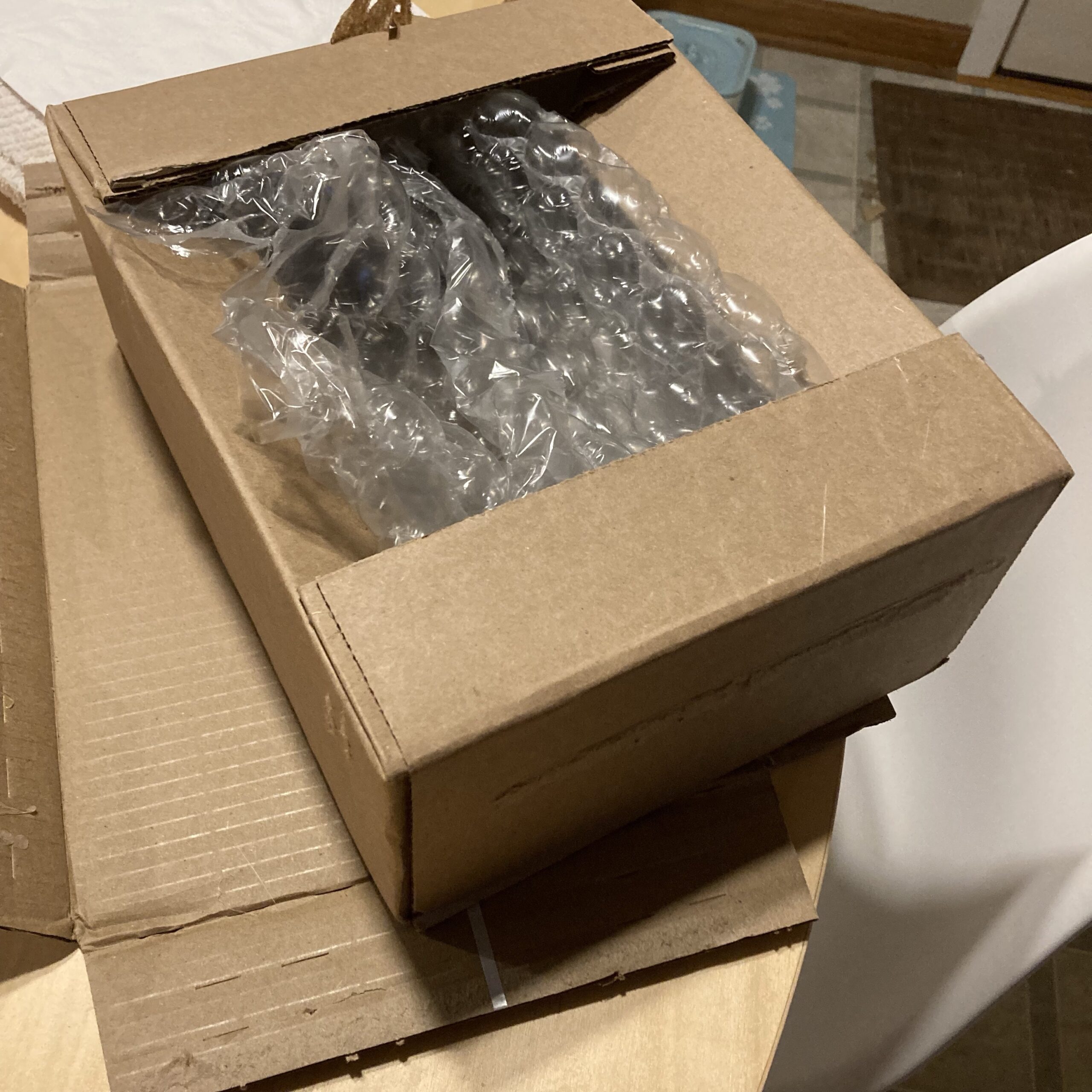
This is a great find. The only disappointing thing was the size of the box it was delivered in from B & H Photo:
Couldn’t it have been sent in a bubble mailer? 😕
Disassembly & Prep
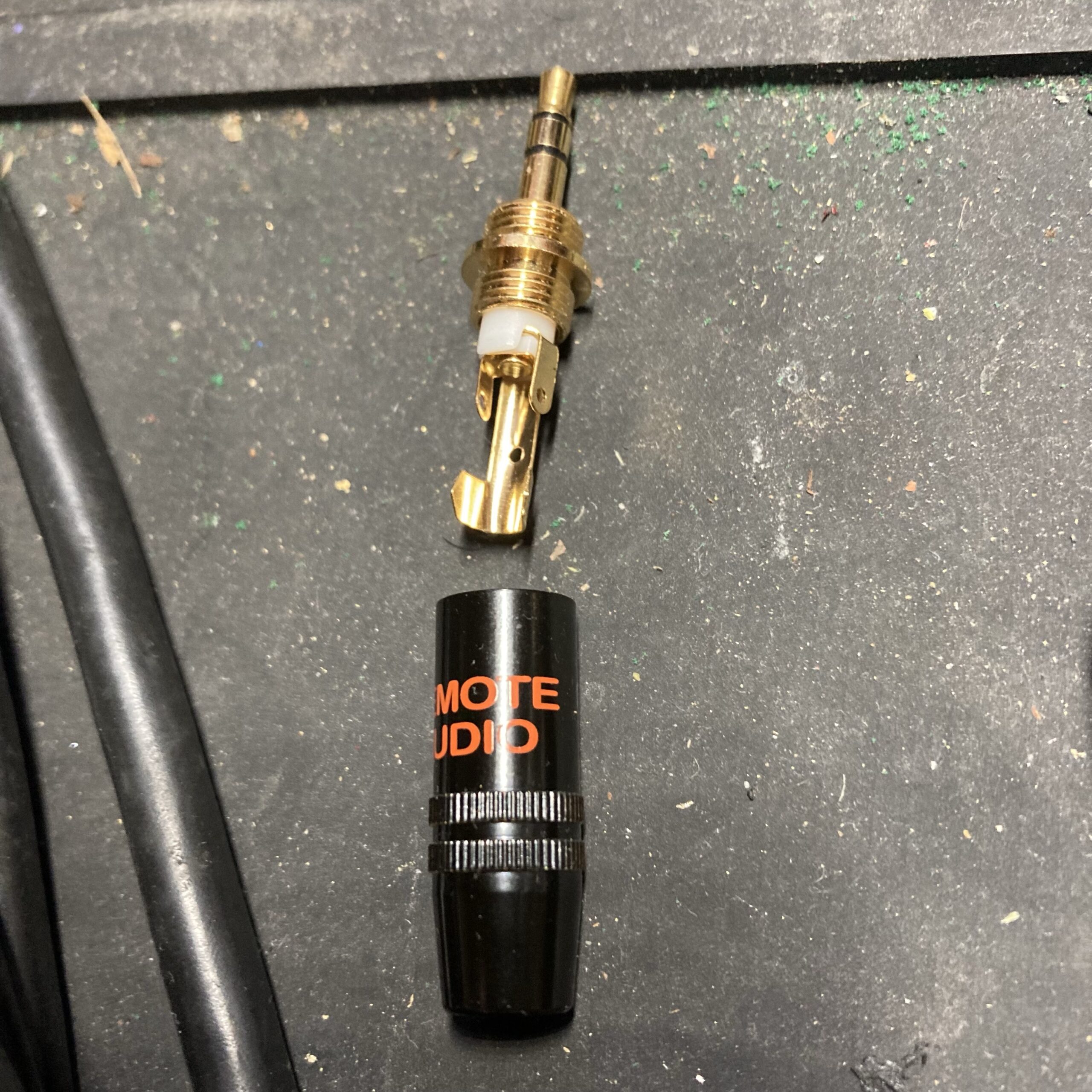
If you’re looking to gently take off your original jack, it (dis)assembles the same way as the replacement.
My old jack was bent, so there was no point in saving it. I cut the wire but made sure to not cut the strain relief sleeve. Alas I realized you must disassemble the old jack to get the strain relief sleeve out anyway.
Once it’s free, drop the sleeve into the new replacement casing.
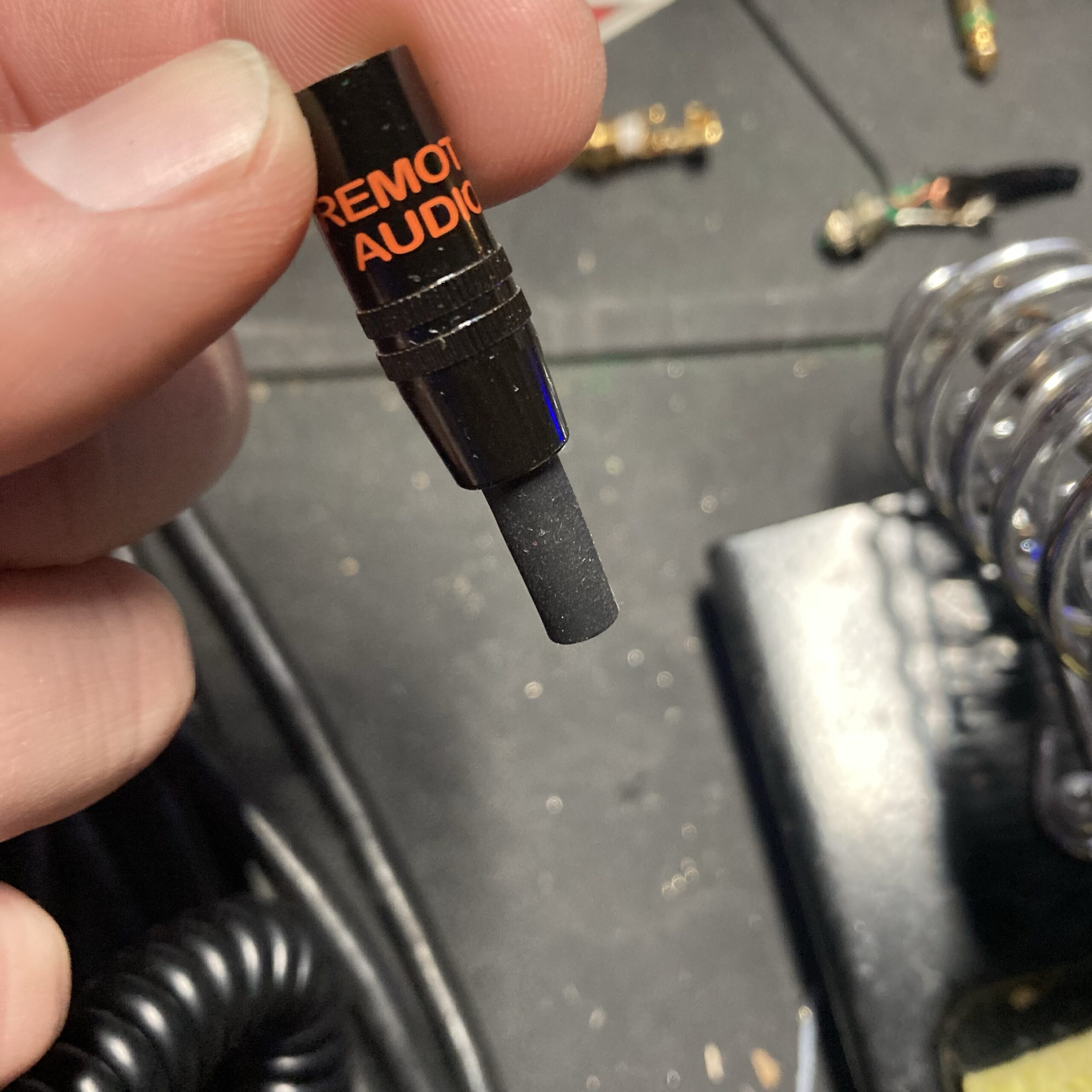
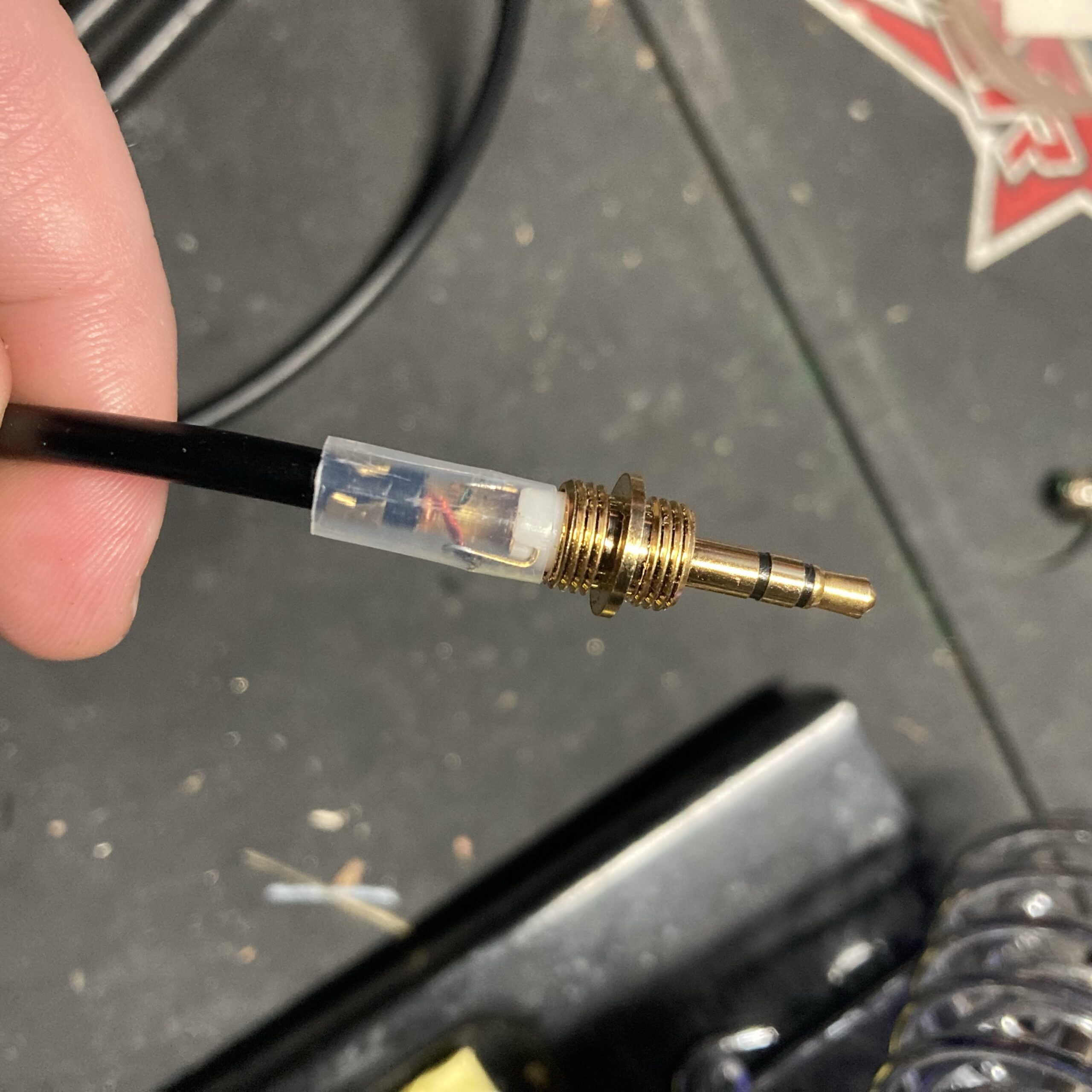
Put the sleeve and casing on the wire, followed by the included clear insulation sleeve.
It’s imperative you put these on before soldering, because you can’t put them on after soldering 😬
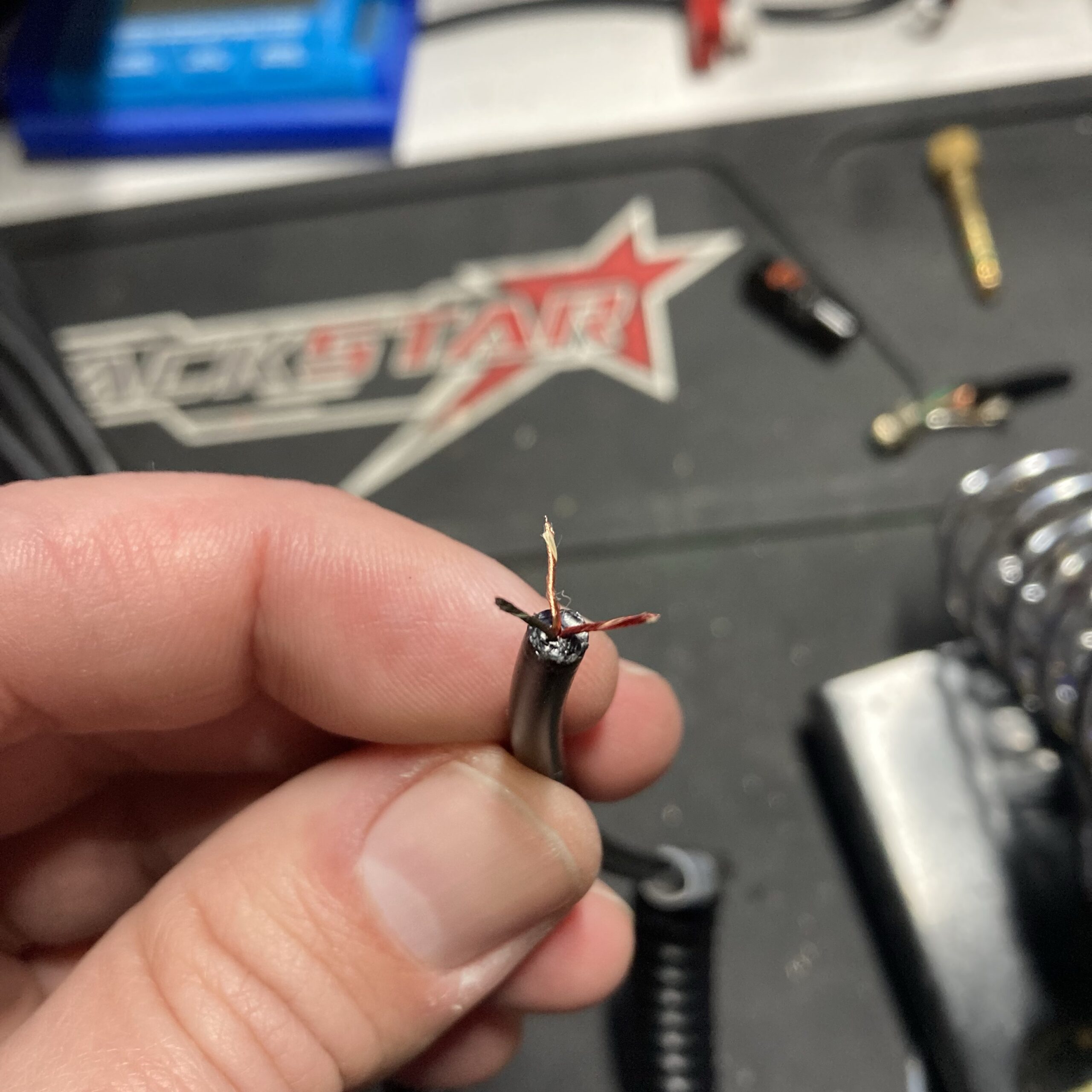
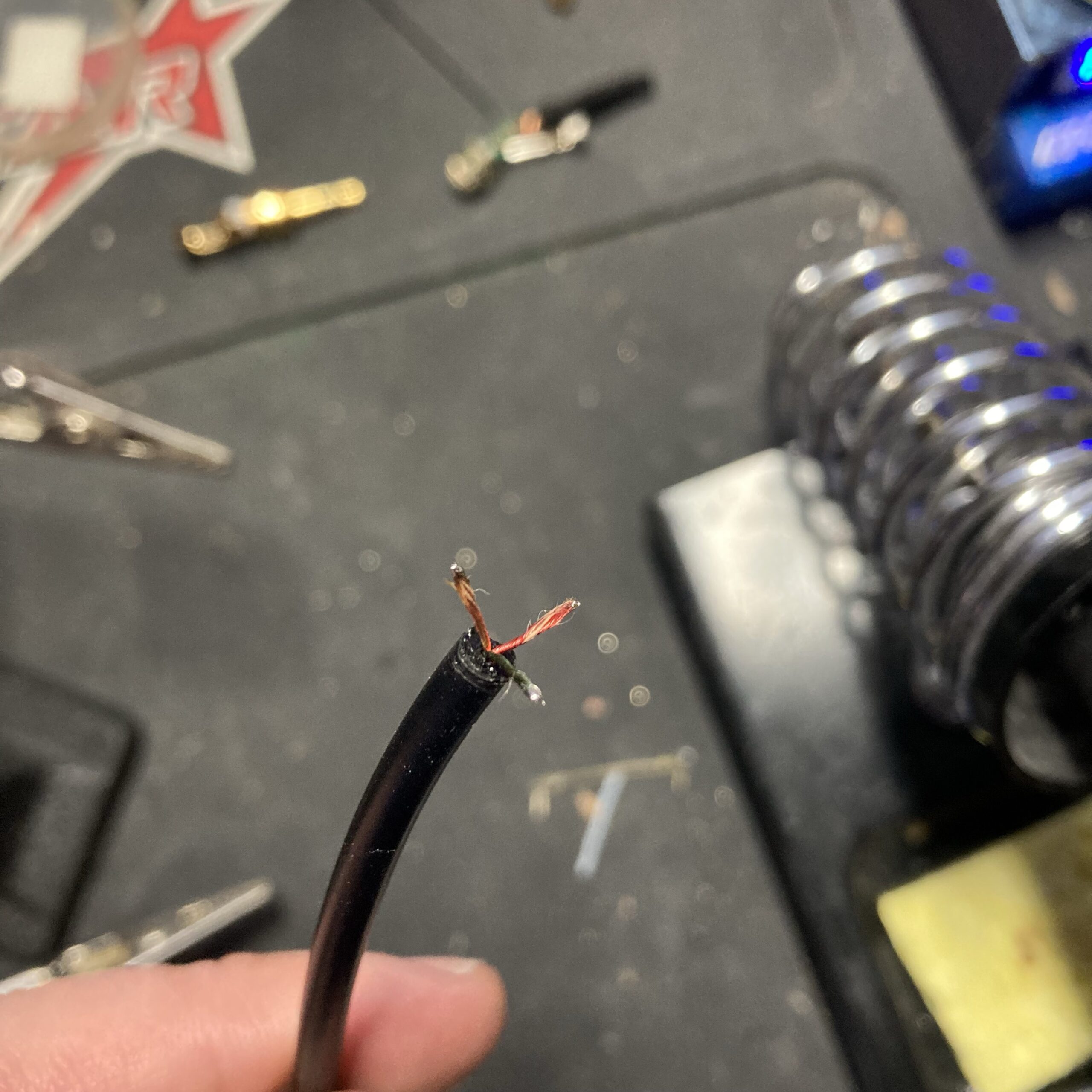
Carefully strip the outer cable sheath. It’s very flexible and rubbery. Inside the three wires don’t have traditional insulation. They have a braided insulation that is similar to the wire itself. Separate them and wet your fingers to keep the twists tight.
Soldering
To keep everything together, pre-tin the wires.
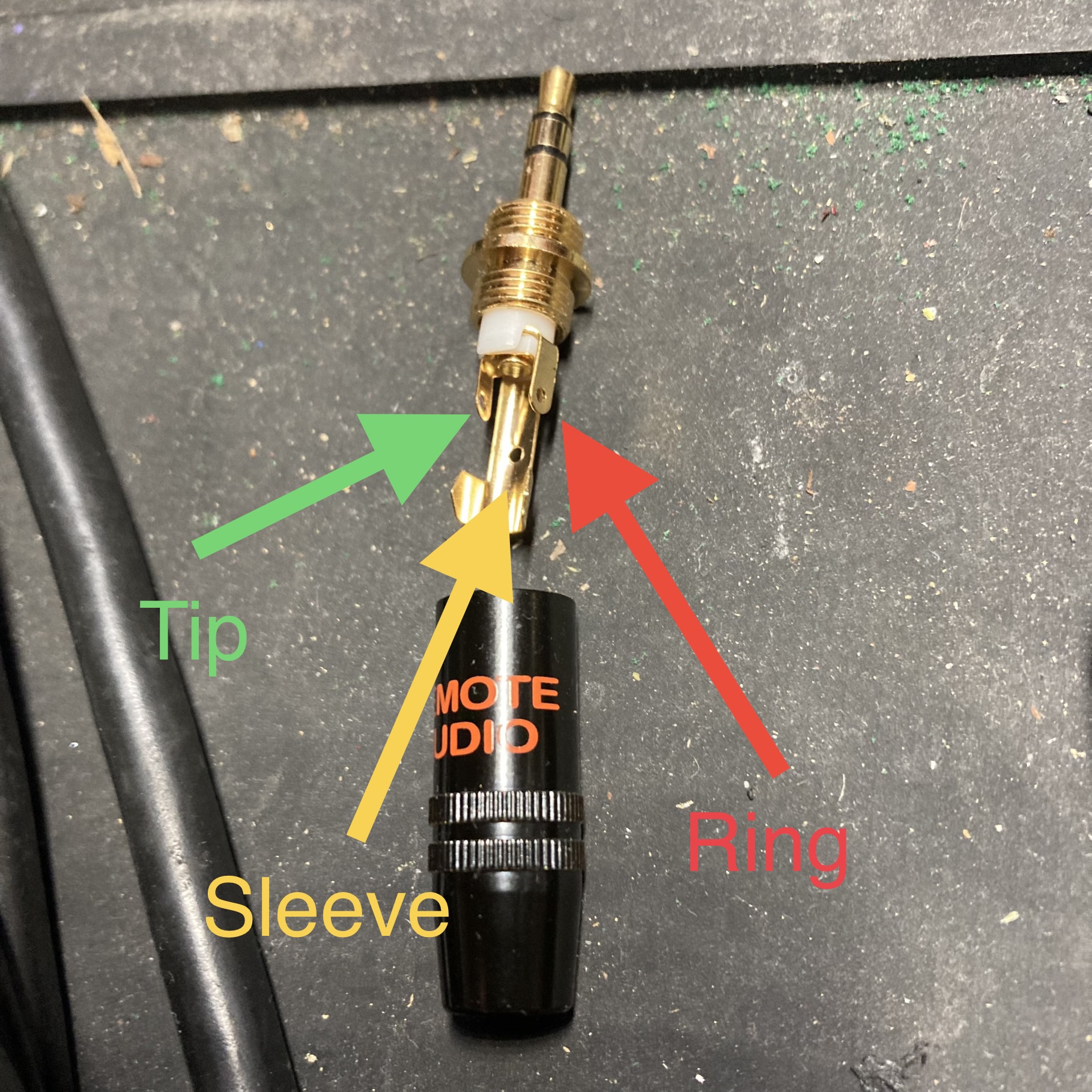
Here’s the layout of the jack. I double checked with a multimeter before soldering.
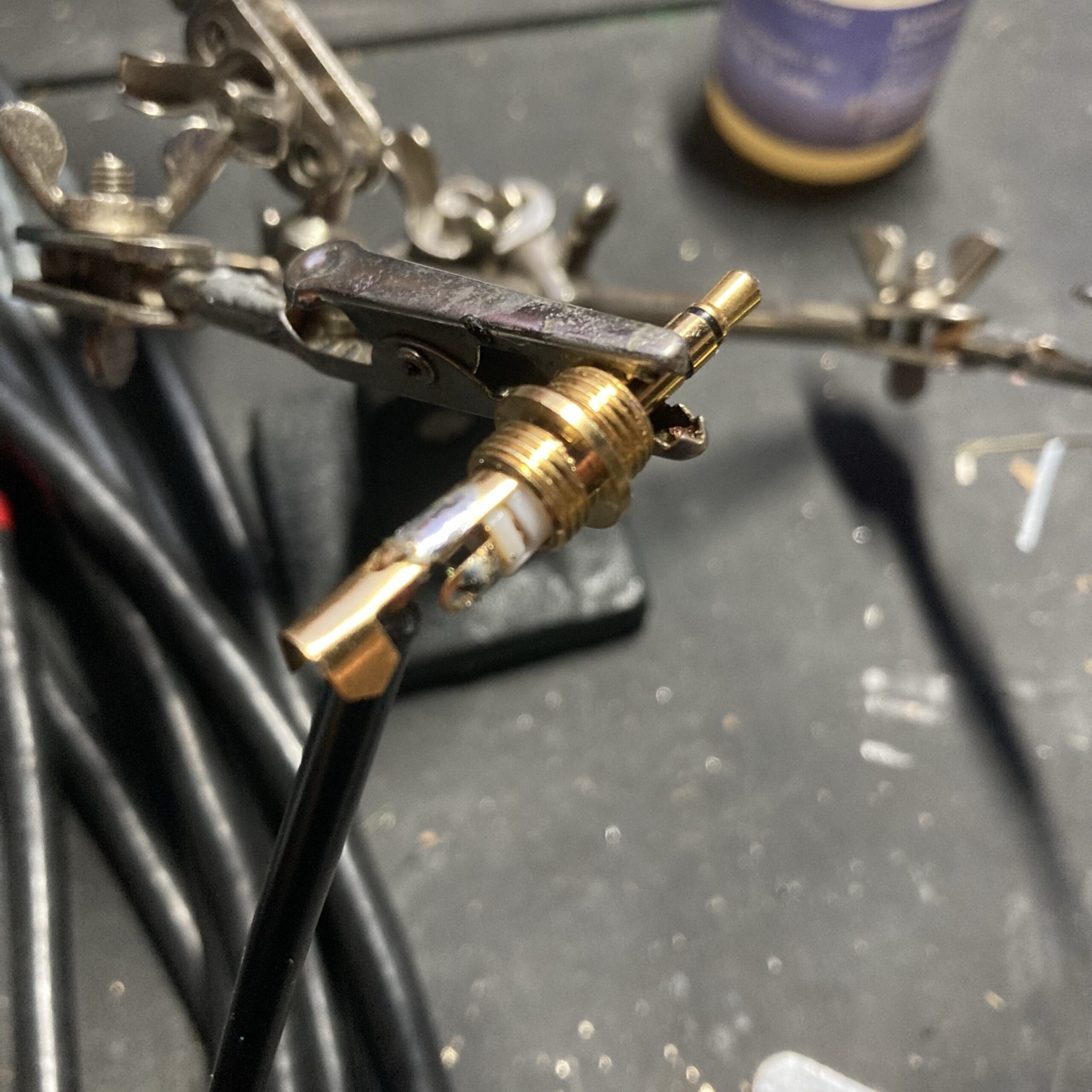
I started by soldering the sleeve wire. Then I used a tweezers to thread the other wires through the holes.
Test & Final Assembly
With all wires soldered, but before crimping, test it out. I carefully plugged the headphones into a computer and verified sound in both ears and double checked correct left-right balance.
With everything confirmed working, we can now button it all up. First crimp the jack to the cable sheath with a needle nose pliers.
In April of 2022 my VOIP home phone stopped receiving incoming calls. I could still dial out, but nobody could call the house. I received warning emails from Skyetel every 3 hours that my SIP endpoint was unreachable by their servers.
Since nothing had changed on my end, I suspected that something changed with my provider: Comcast/xfinity. Similar to my experience with British Airways, I found that xfinity has now automated everything.
I understand that automation helps if someone just needs to reboot their router, or forgot their wifi password. But for those who need genuine help getting shit done, it presents a huge barrier. It took me 9 calls and 3 trips to the xfinity store to get this resolved…
I phoned tech support to explain that port 5060 (for SIP service) was being blocked on my connection.
The first guy I talked to said they won’t open up that port unless I subscribe to xfinity’s VOIP service. Honestly, I didn’t want to talk to this guy anymore. He was obviously from India. No offense, but he sounded more like a scammer than a helper. I wanted to talk to someone who actually works for xfinity in the US, that actually knows how their network is set up. Before I hung up I got the phone number for Advanced Technical Support. It’s 888-780-8571. You’re welcome.
I called that number and magically wound up speaking with an actual technical rep based in these United States. BTW, this won’t happen every time – I’ve yet to figure out what automation magic I did to skip past the overseas nonsense.
When I mentioned my issue he referenced this page https://www.xfinity.com/support/articles/list-of-blocked-ports which I had also been looking at, noting that port 5060 isn’t in the list. He said I might need to do some configuration in my modem’s settings to forward that port.
But the Netgear CM1000 isn’t a combo modem/router. It doesn’t have a firewall or port forwards or anything. It just passes all connections on to my OpenWRT router which has firewall/forwarding/wifi/etc.
So the tech guy suggested I try an xfinity-supplied cable modem (at a rental fee of $15/mo) to see if that solves the problem. I wasn’t thrilled with the extra cost, but he said it’s pro-rated and might be worth seeing if it fixes the problem.
Approach 2 (playing the game)
So I went into my nearest xfinity store, went home with a new cable modem, and set it up. Then, to my dismay, when I went into the port forwarding settings on the modem, I consistently got this error:
I called technical support back and they said:
You need to go back to the xfinity store and get a different modem that is supported by the xfinity app. I’ve made a note on your account so they’ll give you the correct one this time.
WTF. OK, so I went back and returned my modem for another one. The new one worked with the app. I did have to do some weird things like disable IPv6 on my router so that it would show up in the xfinity app as an available device and port-forward destination because xfinity only supports port forwards via IPv4.
What’s really going on?
After configuring the router and updating my IP at Skyetel, it seemed to work 💪 Our home phone now rings after dialing. I called xfinity tech support again to re-activate my Netgear CM1000 to see if it will continue to work. Hey – it worked… But why?
My hunch is that by selecting a port forward in the app, something else is getting configured in their network to allow incoming connections – something upstream from your rental router. We’ll see how long the setting lasts before I have to go (temporarily) rent one again 🤞 Also – I was able to reactivate IPv6 in my router without issue.
The next day, the phone rang and it was music to my ears! ☎️ It was my daughter’s friend and they made plans to get together. Then the day after that, I received my first spam call 😱